WebUI
The JANUS WebUI is the operator's administrative browser application. It is a thin client of the Management API: every screen reads a read model from the API, and every change it makes is submitted back through the API.
The one sentence to remember
The WebUI is an API client. Git is the source of truth. Administration produces Git commits — the WebUI never writes WireGuard, nftables, routes or gateway state itself.
What the WebUI is, and what it is not
- It is a browser front end over the Management API. It holds no privileged channel into the controller: it does not read the desired-state repository, does not open a database connection, does not compile anything, and does not contact a gateway directly.
- It is a viewer of both desired state and observed runtime state. It is never a second source of truth.
- It is not the source of truth. Desired state lives in Git; the WebUI authors changes into it and then reads back what reconciliation did.
- Filtering, sorting and paging are performed by the API, never in the browser.
The WebUI is served as a separate process from the controller and listens on
loopback (127.0.0.1:8080) by default; a wider address is an explicit operator
decision. In a packaged installation a reverse proxy terminates TLS in front of
it and the session cookie takes the hardened __Host- form.
Scope: platform and deployment
Every screen carries a scope signal, and the two scopes are kept visibly apart:
- Platform scope is platform-wide administration — tenants, deployments, gateway nodes and placement.
- Deployment scope is administration of one customer's deployment. A deployment scope can never reach another deployment's objects.
The navigation rail renders a Platform block above the deployment-scoped groups so the two cannot be confused.
Navigation structure
Platform block
Base path: /app/platform.
| Entry | Route | State |
|---|---|---|
| Tenants / Organizations | /app/platform/inventory/tenants |
Available |
| Deployments | /app/platform/inventory/deployments |
Available |
| Gateway nodes | /app/platform/inventory/gatewaynodes |
Available |
| Gateway enrollment | /app/platform/enrollment |
Available |
| Placement | /app/platform/placement |
Available |
| Principals & bindings, Roles & bindings, MFA policy, API credentials | /app/platform/{principals,roles,mfa-policy,credentials} |
Available |
An entry is only shown as available when its surface actually works through the API. Entries that exist only as declared product structure are rendered non-interactive with an explicit "Planned" marker and never look like a working feature.
Deployment groups
Base path: /app/deployments/<deployment>.
| Group | Entry | Route | State |
|---|---|---|---|
| Operate | Overview | /overview |
Available |
| Operate | Operations & reconciliation | /operations |
Available |
| Operate | Audit | /audit |
Available |
| Runtime observability | Runtime | /runtime |
Available |
| Runtime observability | Client activity | /clients |
Available |
| Runtime observability | Fabric | /fabric |
Available |
| Runtime observability | Reachability | /reachability |
Available |
| Runtime observability | Explain access | /explain |
Available |
| Operational visualization | Operational dashboard | /dashboard |
Available |
| Operational visualization | Topology & client path | /topology |
Available |
| Operational visualization | Health & trends | /health |
Available |
| Operational visualization | Failure & recovery timeline | /timeline |
Available |
| Desired state | Gateways | /inventory/gateways |
Available |
| Desired state | Sites | /inventory/sites |
Available |
| Desired state | Site Edges | /siteedges |
Available |
| Desired state | Devices | /inventory/devices |
Available |
| Desired state | Resources | /inventory/resources |
Available |
| Desired state | Prefixes / networks | /inventory/prefixes |
Available |
| Access | Access policies | /inventory/accesspolicies |
Available |
| Access | Groups | /inventory/groups |
Available |
| Access | Users | /inventory/users |
Available |
| Access | Device enrollment | /enrollment |
Available |
| Access | Route policies | /inventory/routepolicies |
Prototype listing only |
| Access | NAT policies | /inventory/natpolicies |
Available |
| Deployment platform | Identity providers | /identity-providers |
Available |
Two different meanings of \"platform\"
The Platform block is platform-wide administration. The Deployment platform group is deployment-scoped product structure. They are deliberately given different labels so they cannot be confused.
Signing in
First-run setup
On a fresh installation, GET /setup presents the initial setup form. It is
reachable without a session because there is no identity yet, and the server
re-reads the authoritative setup state on every request — once setup is
complete the route creates no further accounts.
| Field | Required | Notes |
|---|---|---|
username |
yes | the primary administrator's locator |
displayName |
yes | human-readable name |
password |
yes | new password |
confirmPassword |
yes | must match password |
On success the page reports that initial setup is complete and that setup is now permanently closed, and offers a link into the application. There is no wizard: the setup form creates the primary administrator only. It does not configure topology, gateways or providers.
Sign in
GET /login presents the sign-in surface. The offered methods are read from the
API (local credentials, OIDC, or the host-enabled break-glass recovery
credential). POST /login accepts username, password and an optional next
target. A failed sign-in returns a single uniform error and never discloses
whether an account exists.
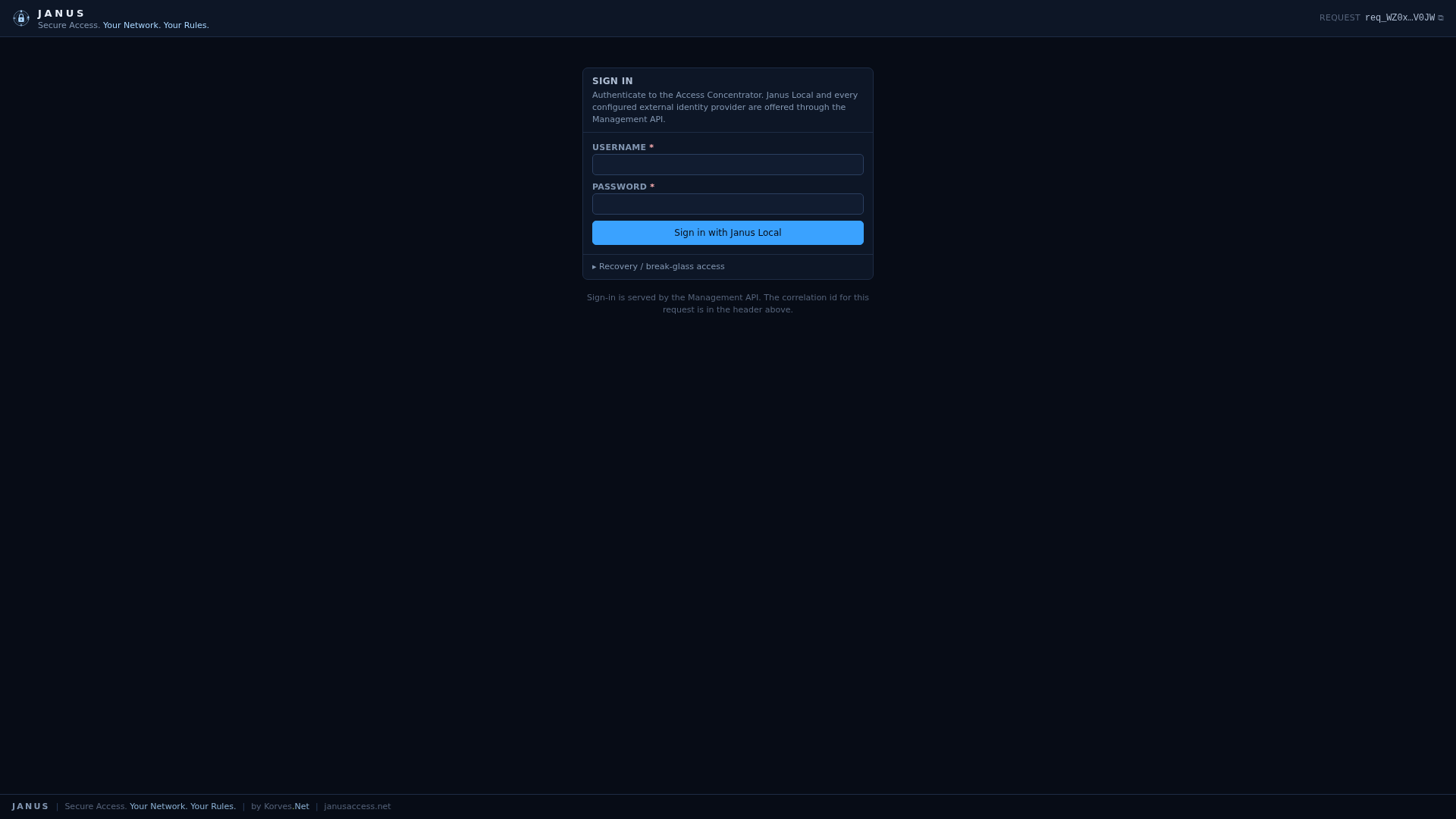
The WebUI sign-in page (JANUS 0.18.0).
Working with desired state
Browsing an inventory
Open any Desired state or Access entry to see one dense table for that object kind. Search, sort and paging requests are sent to the API; the table body is re-rendered in place (HTMX) without a full page load. A Reset filters action clears the current query. An empty answer is shown differently from a filtered-empty answer, and a permission-limited view states the permission the API requires.
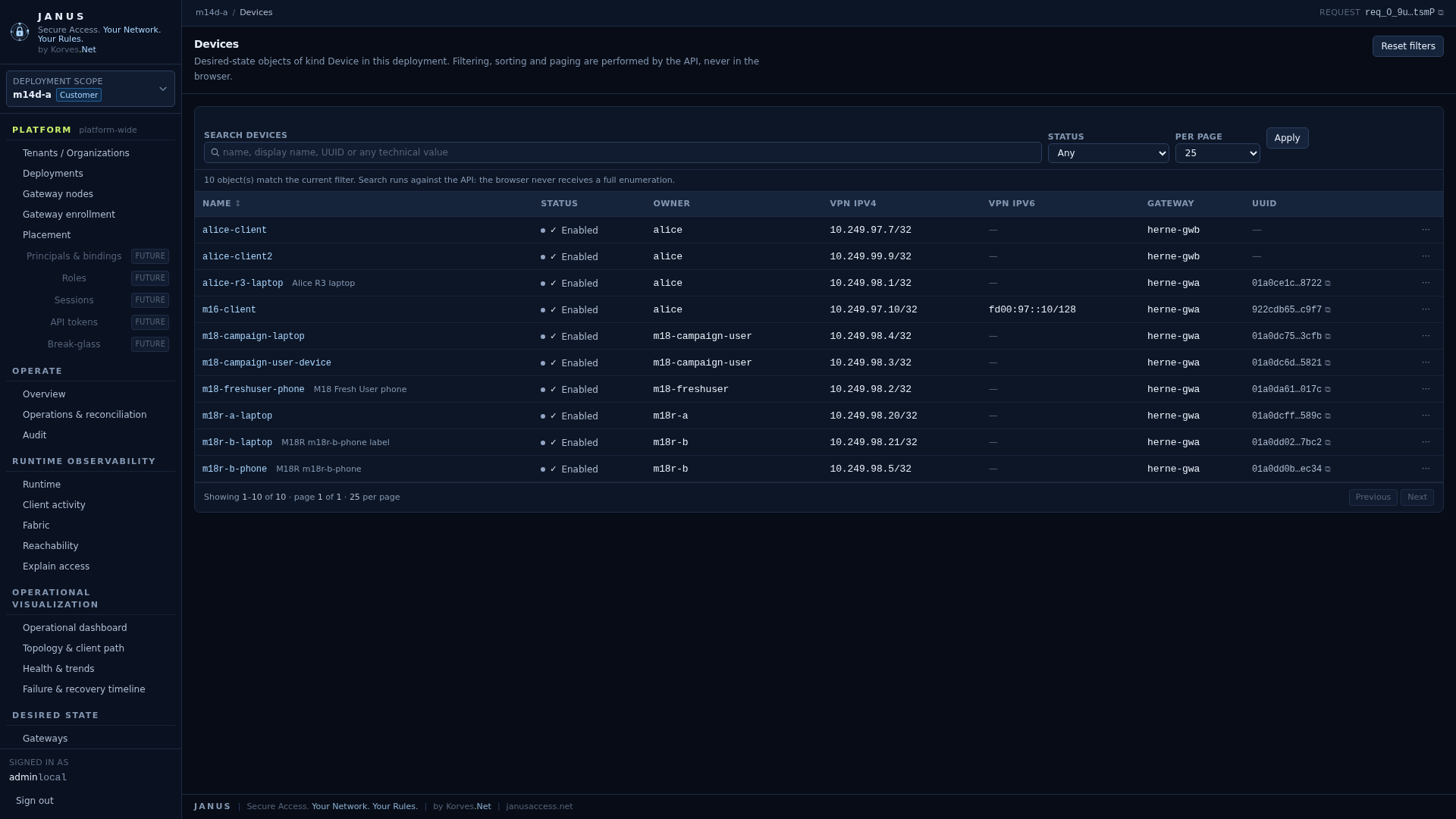
An inventory table (Devices) with search, sorting, paging and a permission-aware empty state (JANUS 0.18.0).
Creating or editing an object
- Create: open
…/objects/<kind>/new. - Edit: open an object from an inventory row, which loads
…/objects/<kind>/<name>.
The editor column is the editable desired state. Its fields are:
| Field | Notes |
|---|---|
name |
required; lowercase letters, digits and hyphens; at most 128 characters |
| kind-specific fields | rendered by declared kind: a switch for booleans, a select, a number input, a text area, or a date-time text field |
| lookup fields | a server-searched combobox, so the browser never enumerates the object set |
hidden csrf, action (create/update), etag |
sent with every submit; the etag is the concurrency guard |
The immutable identity of an object is its UUID; the name is the human key.
The editor offers three actions:
- Validate and review — preflights the change without writing anything.
- Submit to Git — authors the change through the Management API.
- Delete — a declarative delete (see below).
enabled is an access state, not an activity state
Wherever the UI shows an enabled flag — on a Device, a User, a Gateway, an
Access policy or a Site Edge — it means authorized/activated in desired
state. It never means "currently passing traffic". Activity is a separate,
observed fact shown only on the runtime and observability surfaces.
Preflight review
Validate and review calls the API's preflight, which performs whole-state validation, the configuration diff and the semantic plan. Nothing is written. The review column renders each checkpoint on its own, and never collapses them into a single "Saved!":
The lifecycle rail never renders a stage the provider did not report as reached; everything beyond the reached stage is visibly dimmed. The review distinguishes, in its own words:
- validation and compilation;
- the configuration diff (what the object changes, line by line);
- the semantic plan (what the compiler predicts, on which gateways);
- Git acceptance (the revision the repository accepted);
- controller reconciliation (whether the revision is last-known-good);
- gateway delivery and application (per gateway).
An exceptional outcome is labelled explicitly — candidate rejected, refused, stale, failed, rolled back, and Outcome unknown, which is never presented as success.
Submit to Git
Submit to Git submits the candidate through the Management API. An invalid or no-op candidate is refused and not submitted. The result panel reports Git acceptance and the management operation, and states plainly that reconciliation, delivery and application are not claimed unless the API reported them.
Delete
Delete is a declarative delete: the candidate desired state without the object is validated and compiled, authored to Git, and then reconciled normally. The confirmation text states that a delete never tears down WireGuard, nftables or routes in the browser — the WebUI removes the declaration, and reconciliation withdraws the effect. The result view shows the last accepted state as evidence.
Policy authoring
Access policies are authored exactly like any other object: open
Access policies, create or edit one, fill in the subject and destination
fields, Validate and review, then Submit to Git. The plan panel shows
access granted and reachability under separate headings, because routing
is not authorization — an AccessPolicy grants access, while Site,
RoutePolicy and Prefix affect reachability and grant nobody anything. A
disabled policy is valid and grants nothing, and the plan says so explicitly.
NAT is never implicit.
Operations and audit
- Operations & reconciliation (
/operations) shows the controller state (last-known-good revision, reconciliation id, OK or retained last-known-good), the gateway state, and the management operation list, using the product's own status vocabulary — including an explicit Outcome unknown. - Audit (
/audit) lists recent audit events. The screen states that browser diagnostics are never audit, and that the Git author is not the authenticated actor — the actor is recorded separately in audit metadata.
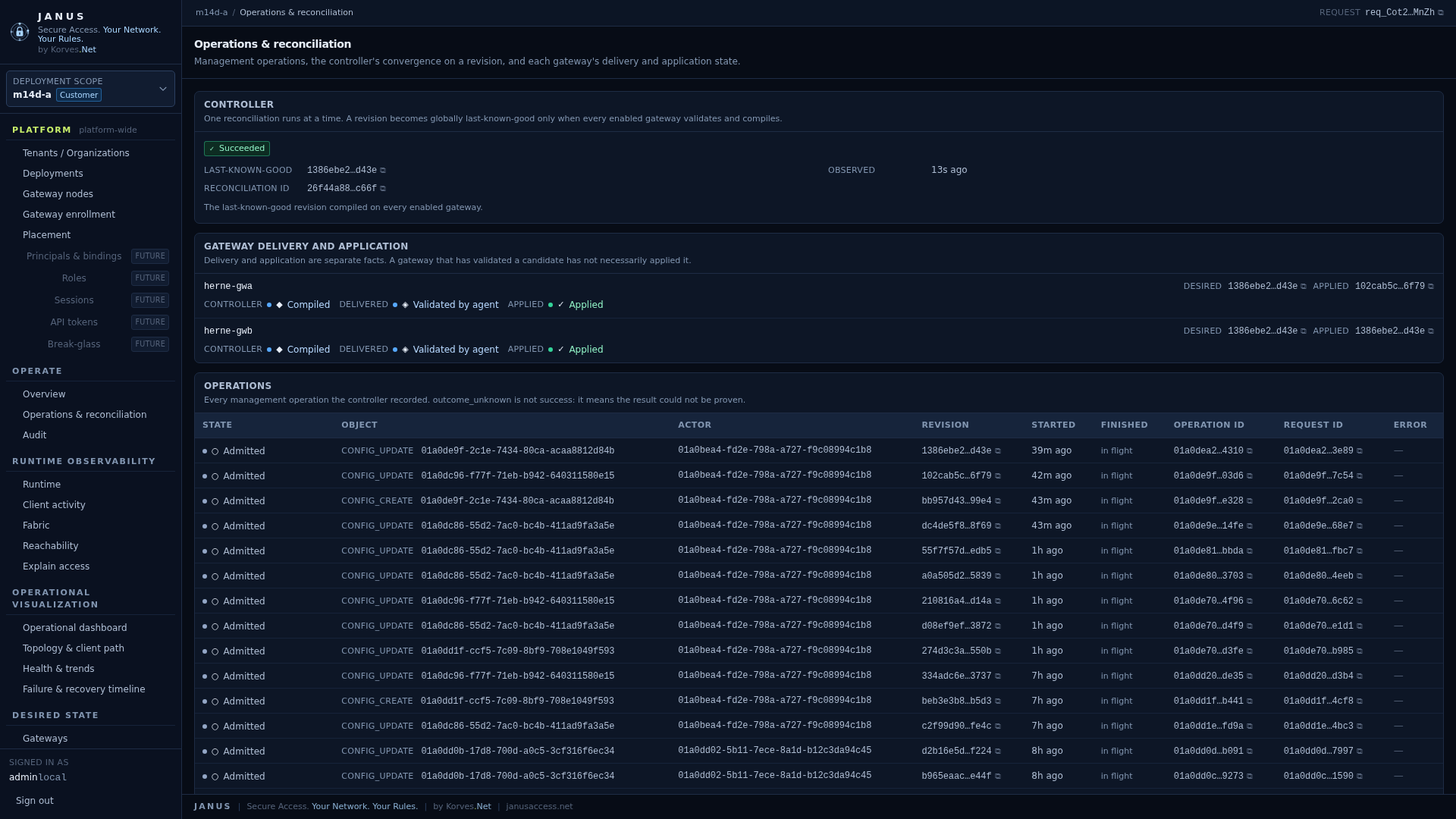
Operations & reconciliation: the controller's last-known-good revision, per gateway delivery/application state, and the management operation log (JANUS 0.18.0).
Runtime and observability
These surfaces are reads of deployment-scoped API read models; none reaches the repository, the database or a gateway directly.
- Runtime (
/runtime) lists runtime participants — each participant's identity is the pair (GatewayNode, Deployment) — with columns for State, Desired, Applied (observed), Clients, Client port, Fabric, Routes and Last status, plus a bounded log of recent runtime transitions. - Client activity (
/clients) lists devices; client detail (/clients/{device}) shows desired identity next to observed attachment, kept separate. - Fabric (
/fabric), Reachability (/reachability) and Explain access (/explain) present the inter-gateway fabric, resource/site reachability, and a path-and-policy explanation.
Desired, delivered, applied and observed are kept independent
The WebUI never merges these into one column. desired is the Git revision,
delivered means the gateway agent received and persisted the candidate,
applied means the data plane reflects it, and observed is what the
participant reported. delivered does not mean applied.
Operational visualization
The Operational dashboard shows state at a glance (participant, client, fabric and resource counts, the desired revision and the generation time), an attention list, and a recent-changes transition log. Topology & client path, Health & trends and the Failure & recovery timeline arrange the same observed state so an operator can see shape, path and change.
A gauge and a derived rate are visually distinct. A topology edge is a
placement, attachment or reachability statement — never an authorization. Health
and trends on a participant whose state is unknown or stale are never
rendered as healthy.
Platform administration
- Placement (
/app/platform/placement) shows deployments by owner and placement, and gateway nodes by sharing and placement, keeping capability, entitlement and placement apart. - Gateway node runtime (
/app/platform/gatewaynodes/<node>/runtime) is the only WebUI surface that lists several runtime domains of one physical GatewayNode together; it requires platform authority.
Identity and access administration
Four platform-scope surfaces administer administrative identity. They are API
clients of the identity-administration endpoints and require the
principal:admin permission at platform scope, which the built-in
platform_admin role carries. See
Identity and access for the workflows themselves.
- Principals & bindings (
/app/platform/principals) lists human accounts and service principals with their kind, state and effective bindings; creates a human account (with an initial password) or a service principal (with no interactive credential); and opens a principal's detail page, where its roles are granted and removed, its account is enabled or disabled, and its API credentials are created and revoked. - API credentials (
/app/platform/credentials) lists every API credential in the installation by the identity that holds it, with its label, identifier, creation and expiry, last use and state, and revokes one. A credential secret is displayed exactly once, on the identity's own page, immediately after it is created. - Roles & bindings (
/app/platform/roles) shows the built-in roles with their permissions and every principal→role binding in the installation. - MFA policy (
/app/platform/mfa-policy) reads, sets and removes the per-scope second-factor requirement, including which factors satisfy it.
Scopes are chosen by name: a deployment or tenant is presented as the name an administrator gave it, never as a raw identifier.
Enrollment
Device enrollment and gateway enrollment each have a shipped WebUI surface. Both are API clients of the canonical enrollment endpoints and make no trust decision of their own.
Gateway enrollment — /app/platform/enrollment
Gateway trust records are controller-global, so this is a platform-scope surface. It lists every gateway identity the controller has seen with its state (pending, approved, rejected or revoked), its public fingerprint, its claimed hostname, its source address, its request and decision times and its last-seen time. From here an administrator decides:
- Approve a pending record, so the gateway may authenticate with the key it proved possession of;
- Reject a pending record (terminal);
- Revoke an approved record, withdrawing trust.
The screen states the boundary plainly: enrollment is trust, not health. Approving a record does not claim the node is reachable; reachability is a runtime fact shown on the runtime and observability surfaces. A record that is not approved fails closed at the API.
The decision routes require gateway:admin at platform scope and a
session-bound CSRF token. The API decides the permission; the WebUI only renders
the outcome.
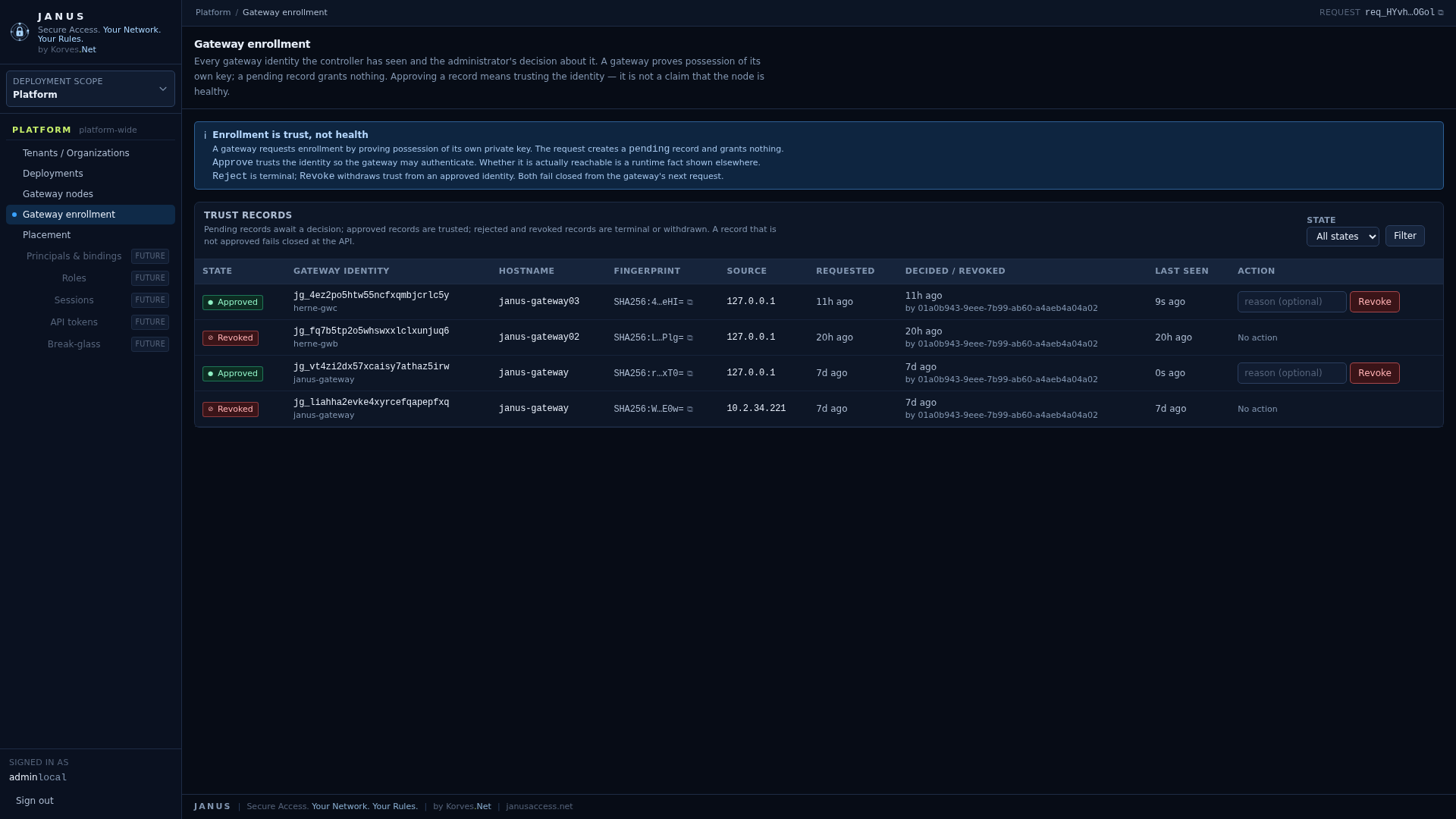
Gateway enrollment: trust records with state, fingerprint, source and decision (JANUS 0.18.0).
Device enrollment — /app/deployments/<deployment>/enrollment
Device enrollment is deployment-scoped. The administrator authorizes a person to use Janus: the screen creates a bounded enrolment invitation for a chosen user and device, and presents the invitation code once. The code is never stored, never retrievable again, and is never placed in a URL — so it cannot leak through browser history, bookmarks or a proxy log. The list shows each invitation's state and a non-secret prefix. An unredeemed invitation can be revoked from here.
The ordinary path needs only two things: which user the invitation is for and, optionally, a device name. Everything else is policy: the gateway placement and the client address come from the deployment's declared self-service policy, the lifetime is bounded by default, and the invitation is single-use. The expert overrides — a specific gateway, explicit IPv4/IPv6, a different lifetime or use count, a justification — are available under Advanced; none of them is a prerequisite for the normal path, and none of them changes what the user is authorized to reach.
Creating, listing and revoking invitations require config:read/config:write
on the deployment.
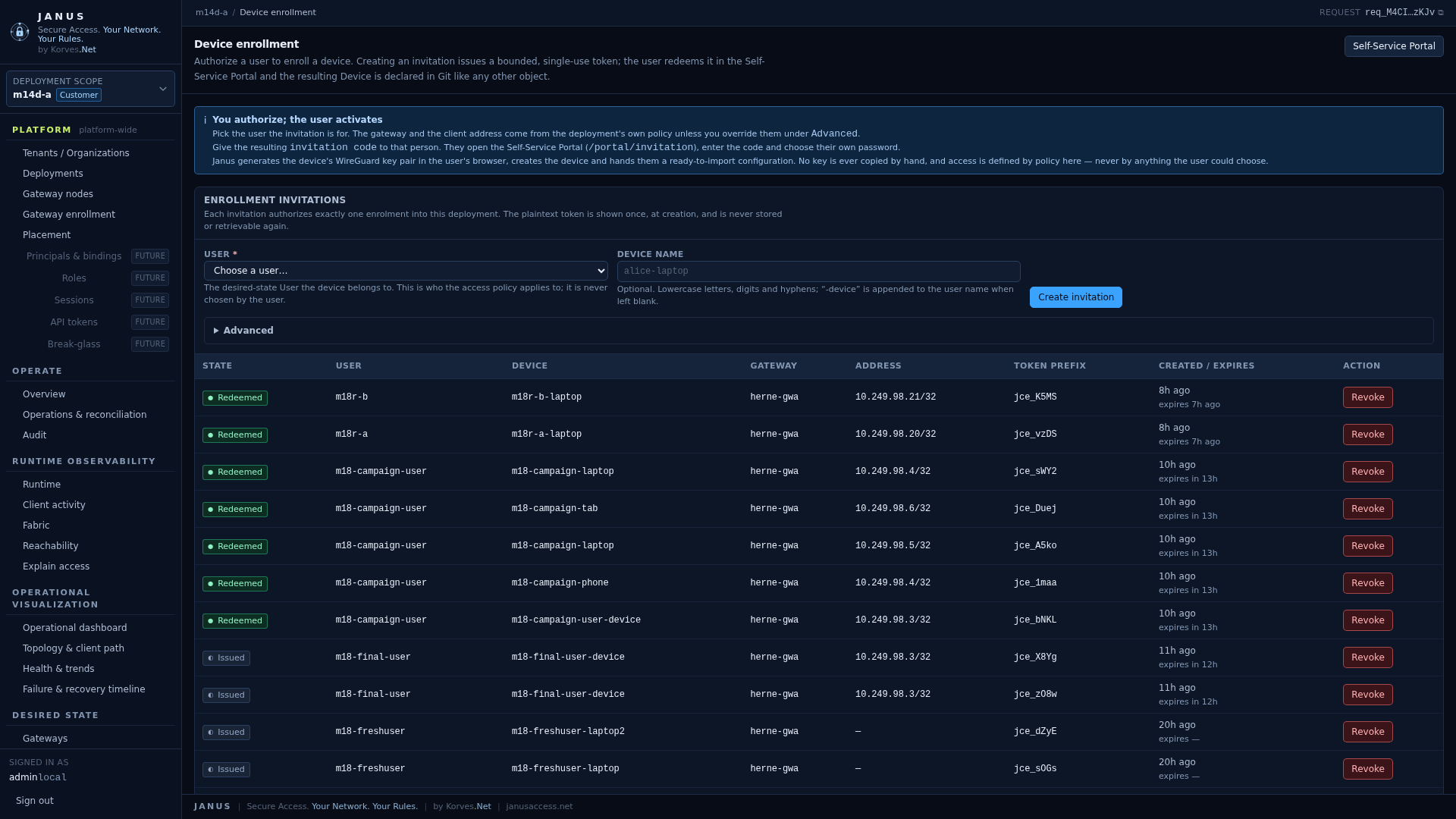
Device enrollment: invitations with state and a non-secret token prefix; the plaintext code is shown once at creation and is never retrievable (JANUS 0.18.0).
End-to-end user onboarding
The invitation is the whole of what the person needs:
- the administrator picks the user and creates the invitation;
- the administrator gives the invitation code to that person over a channel they trust (it is a bearer secret: treat it like a password);
- the person opens the Self-Service Portal at
https://<controller>/portal/invitation, enters the code and — for a first-time account — chooses their own password. The administrator never sees or chooses that password; - Janus generates the device's WireGuard key pair in the person's browser, creates the device, and shows a ready-to-import configuration file and QR code;
- the person downloads the file and imports it into the official WireGuard client, then activates the tunnel.
No step requires a command line, an API call, Git, a deployment identifier or any knowledge of WireGuard keys. The person never supplies a key, never chooses a gateway, never sees the tunnel addresses and never edits the configuration file; what they can reach is exactly what the deployment's access policy grants, and nothing the portal lets them choose can widen it. The private key is generated on their own device and is never sent to Janus.
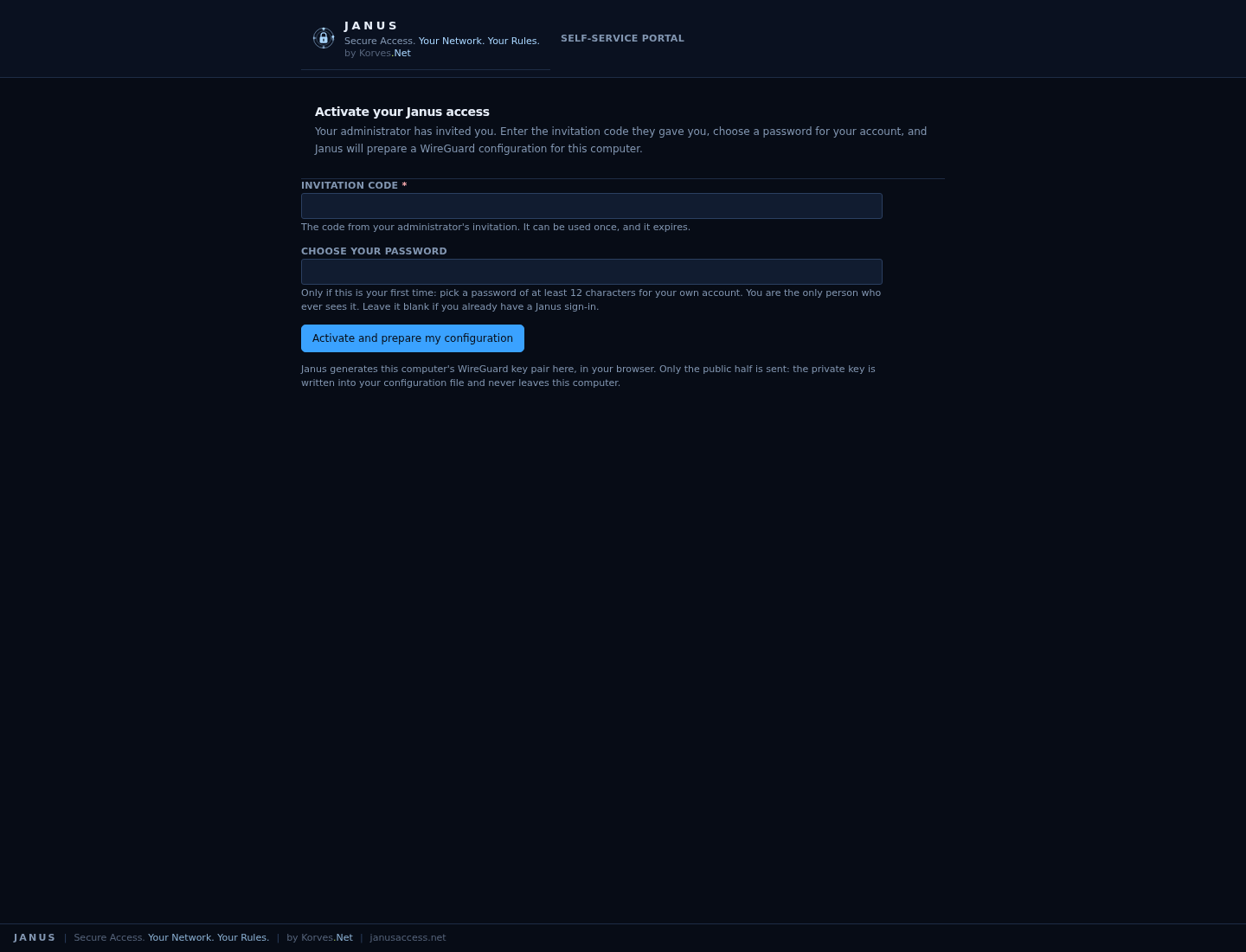
The Self-Service Portal's activation page: the invited user enters the invitation code and — for a first activation — chooses their own password (JANUS 0.18.0).
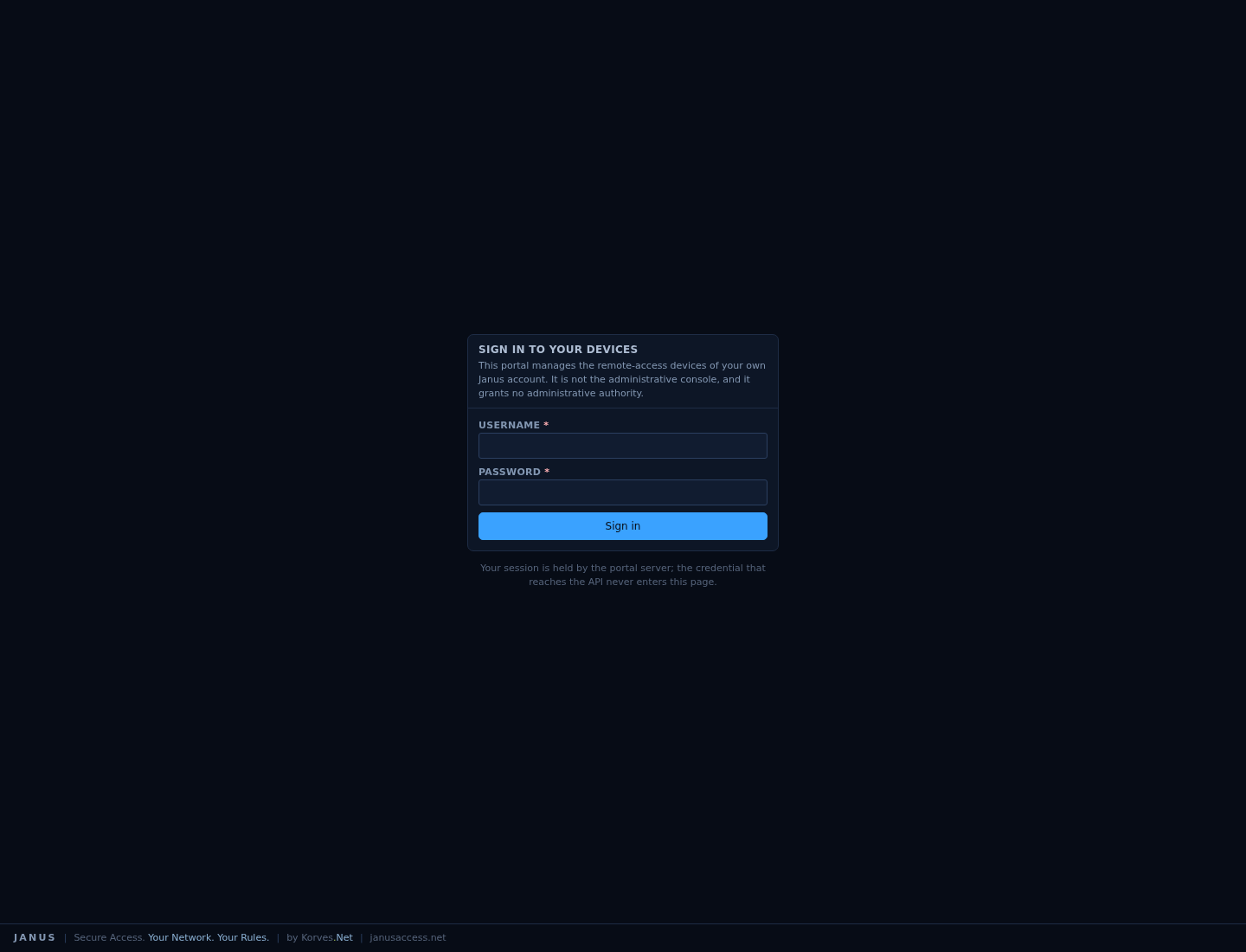
A returning end user signs in to the Self-Service Portal to see and manage their own devices (JANUS 0.18.0).
Site Edges — /app/deployments/<deployment>/siteedges
A Site Edge is a customer-side participant that routes; a GatewayNode
authorizes and carries provider Internet egress — the two are never merged.
The Site Edges surface lists each authored SiteEdge object with its enrollment
trust and observed state — fingerprint, enrollment state, when it enrolled and
when it last made contact. A SiteEdge object is authored through the ordinary
object editor.
A SiteEdge can be authored in either of two ways:
- with
spec.identity.publicKey— the key is pre-registered and the edge is enrolled as soon as it proves possession; - without it — the
SiteEdgeis the expected appliance. The operator brings the appliance up from its own local setup page, the Controller shows the request here as Pending approval (with the fingerprint to compare), and an administrator clicks Approve to bind the proven identity and enrol it.
An edge that has been authored but has not completed bootstrap is shown as
Pre-registered — which grants nothing, because a public key alone
authenticates nothing. An enrolled edge can be revoked from here; revocation
fails closed and is never silently undone. Reading the participant requires
siteedge:read; approving, rejecting and revoking require siteedge:admin on
the deployment.
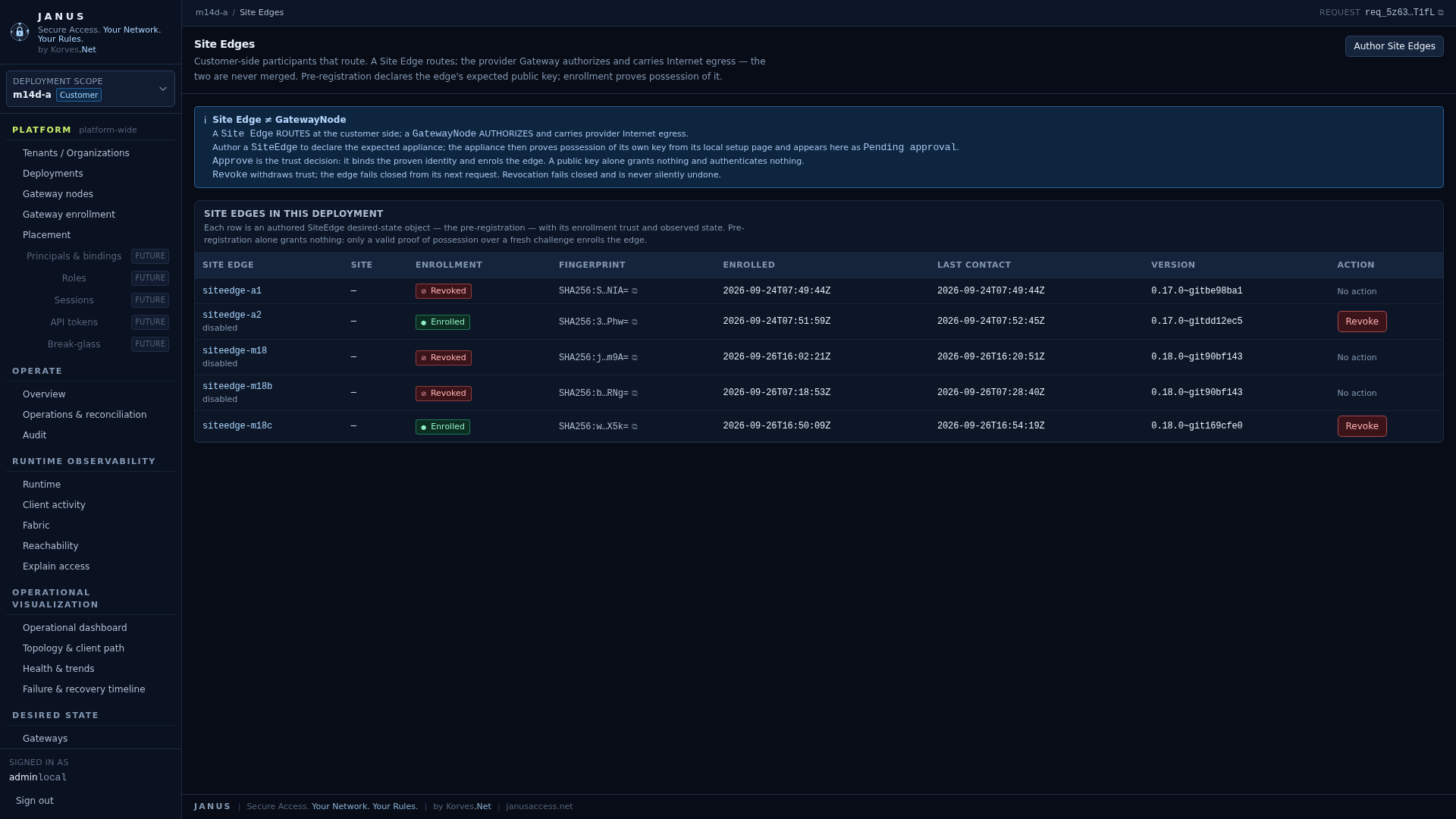
Site Edges: enrollment state, fingerprint and last contact per authored edge (JANUS 0.18.0).
Appliance onboarding is shipped and accepted.
SiteEdgeobjects, the pending/approval flow and the appliance's own local setup page (janus-site-edge-webui) are implemented, covered by unit/integration tests, and have been accepted end to end on a packaged Real-Lab appliance: local setup page → proof of possession → PENDING at the Controller → approve in the Admin WebUI → enrolled → the edge applies its compiled participant profile and carries an authorized customer flow.
What remains out of the WebUI
- The JANUS-aware client manifest is still not delivered by a WebUI or portal
screen. The Self-Service Portal delivers the ordinary WireGuard configuration
and a QR code; provisioning a JANUS-aware client (the
janus-clientdreference daemon) remains an out-of-band file-placement step. See Client. - Route policies is a prototype listing only; the backing API for that listing is not implemented.
Current limitations
These are real limits of the shipped product, not documentation gaps. They are listed so an administrator is not surprised by them:
- Site Edge onboarding runs through the controller's pending/approval flow and
the appliance's own local setup page (
janus-site-edge-webui). That page is loopback-only on the appliance: to reach it from another machine, use the reference reverse proxy the package ships (janus-site-edge-proxy.service+/etc/janus/caddy/site-edge.Caddyfile), which needs the optionalcaddypackage, or a reverse proxy you already run. The appliance works without any proxy; only remote access to the local page needs one. - Route policies is a prototype listing only; the backing data-plane compilation is not implemented.
- Portal account lifecycle. A portal account is created when the invited user
redeems an invitation and chooses a password. There is no separate "invite an
account without a device" flow, no password reset by an administrator and no
account deletion. What the identity milestone added is on the account-security
side: the signed-in user — administrator or end user — manages their own
password, second factors, recovery codes and sessions from
/app/account(or/portal/security), and an administrator manages principals, roles, bindings, service principals, API credentials and the MFA policy from the platform identity-administration surfaces described above.
Security notes
The WebUI sets a strict content-security policy with no inline script or style and no third-party origin, plus clickjacking and referrer hardening. Every state-changing route requires both a session and a session-bound CSRF token. The operator's API credential is replayed server-to-server and never reaches the browser.
Related
- API — the surface the WebUI is a client of
- Configuration — the desired-state objects the WebUI authors
- Operations — observing applied state
- Client — how a user enrols a device and gets a configuration